Get insights into the forces shaping foodservice and retail. We analyze consumer behavior shifts, labor market changes, and emerging business models to help you stay ahead of the curve and make informed decisions.
A guest with a sesame allergy walks up to your counter at 12:40 on a Tuesday. She has three options: interrogate a 19-year-old cashier who has eleven cars in the drive-thru and a headset in one ear, guess, or leave.
Most of them leave. And the industry is paying for it.
Restaurants are forfeiting an estimated $12.6 billion a year because allergen information is vague, buried, or missing, according to a Nutritics 2026 Allergy Dining Report. That works out to roughly $78 per table that walks.
For years, dietary and allergen accommodation lived in the hospitality column. It was something a good manager did well and a bad one improvised. That’s over. It’s now a purchase filter your guests apply before they ever reach your door, and it belongs in the technology column. Specifically, on the kiosk.
The expectation has shifted, and the data backs it up
Ask allergy-affected diners what they want, and the answer is boring in the best way.
According to the report, 54 percent look for explicit allergen labeling beside every menu item. Thirty-seven percent want an online menu they can filter.
When they can’t find it, they don’t call ahead to ask. Ninety-five percent have simply abandoned a planned visit because clear allergen details weren’t easy to access. Fifty-one percent have switched to a different restaurant that made it easier. And 61% have skipped eating out altogether, staying home rather than navigating the stress of finding a safe option.
Read that last number again. These aren’t guests you lost at the register. They’re guests who never considered you.
That’s the part operators consistently underestimate. A remake or a comped entrée is visible. It shows up in waste or in comp reports. A guest who quietly chose the place down the street because that brand’s app let her tap “no tree nuts” shows up nowhere at all. The cost is real.
“Dietary” got a lot bigger than allergens
Meanwhile, the definition of a dietary restriction has expanded well past the nine major allergens.
A lot of guests now read a menu hunting for protein the same way an allergic guest reads it hunting for peanuts. Sixty-two percent of consumers actively look for high-protein options on a menu, 38 percent will pay more for them, and nearly half say they’d switch restaurant brands to get them, according to Revenue Management Solutions survey data reported by Nation’s Restaurant News.
About 23 percent of U.S. households now include someone on a GLP-1 medication, and fiber is tracking the same curve, with 45 percent looking for high-fiber options and 34 percent willing to switch brands to find them.
Chains have responded fast on the product side. Chipotle’s High Protein–High Fiber Bowl, Sweetgreen’s functional health menu, and Starbucks’ protein beverage line are great examples.
The food exists, but finding it is the problem.
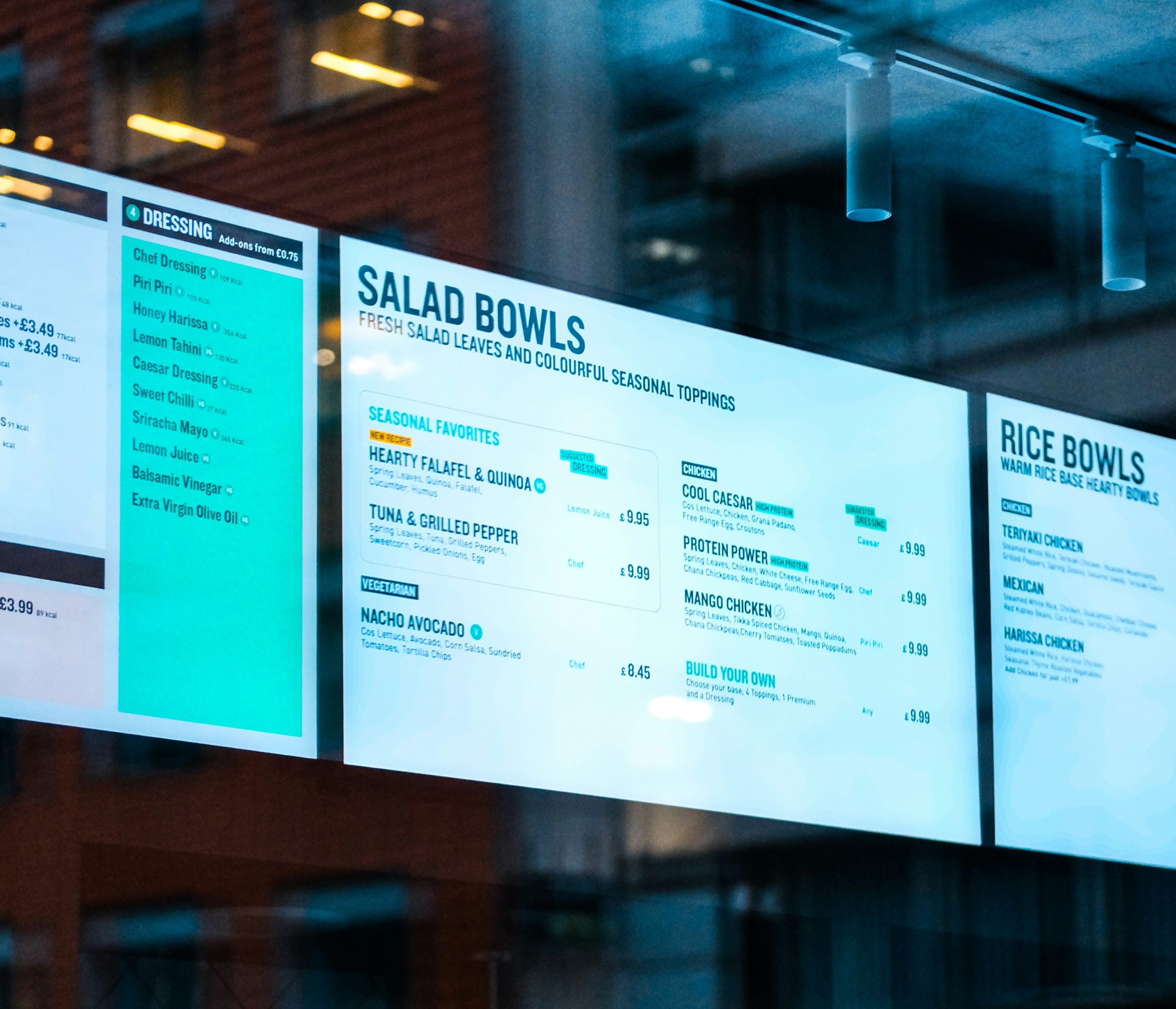
Brands are building increasingly segmented menus and then presenting them on the same static menu board they used in 2015. A guest tracking protein and a guest avoiding dairy are looking at the same nine backlit panels, doing the same mental math, and reaching the same conclusion.
Compliance stopped being optional on July 1, 2026
The law moved too. California’s ADDE Act (SB 68) took effect July 1, requiring restaurants with 20 or more locations nationally to disclose the top nine allergens in each menu item. It’s the first U.S. law to put allergens on menus.
Per Food Safety Magazine, operators can satisfy it three ways: directly on the menu, in a digital format such as a QR code, or on a separate allergen menu or chart. Digital counts, but if you go digital, you also need a non-digital alternative for guests who can’t access it.
And California won’t be the last. The Asthma and Allergy Foundation of America is now working on restaurant allergen-labeling bills in Maryland, New Jersey, Illinois, Ohio, Missouri, New York, and Michigan. Virginia has already passed its own version: Senate Bill 183, signed in April and effective the same day as California’s, requires restaurants to put an identifying marker on any delivery or takeout item that was altered or substituted for a customer-identified allergy. Operators building for one state are building for all of them.
So most multi-unit operators are doing this work regardless. The only question is whether they do the minimum and eat the cost, or put the same work somewhere it sells food. If you’re going to catalog every ingredient in every item anyway, burying the result in a PDF is a strange choice.
The kiosk isn’t just a good place for this—It’s the right one
Four reasons, and none of them are about liking one vendor over another.
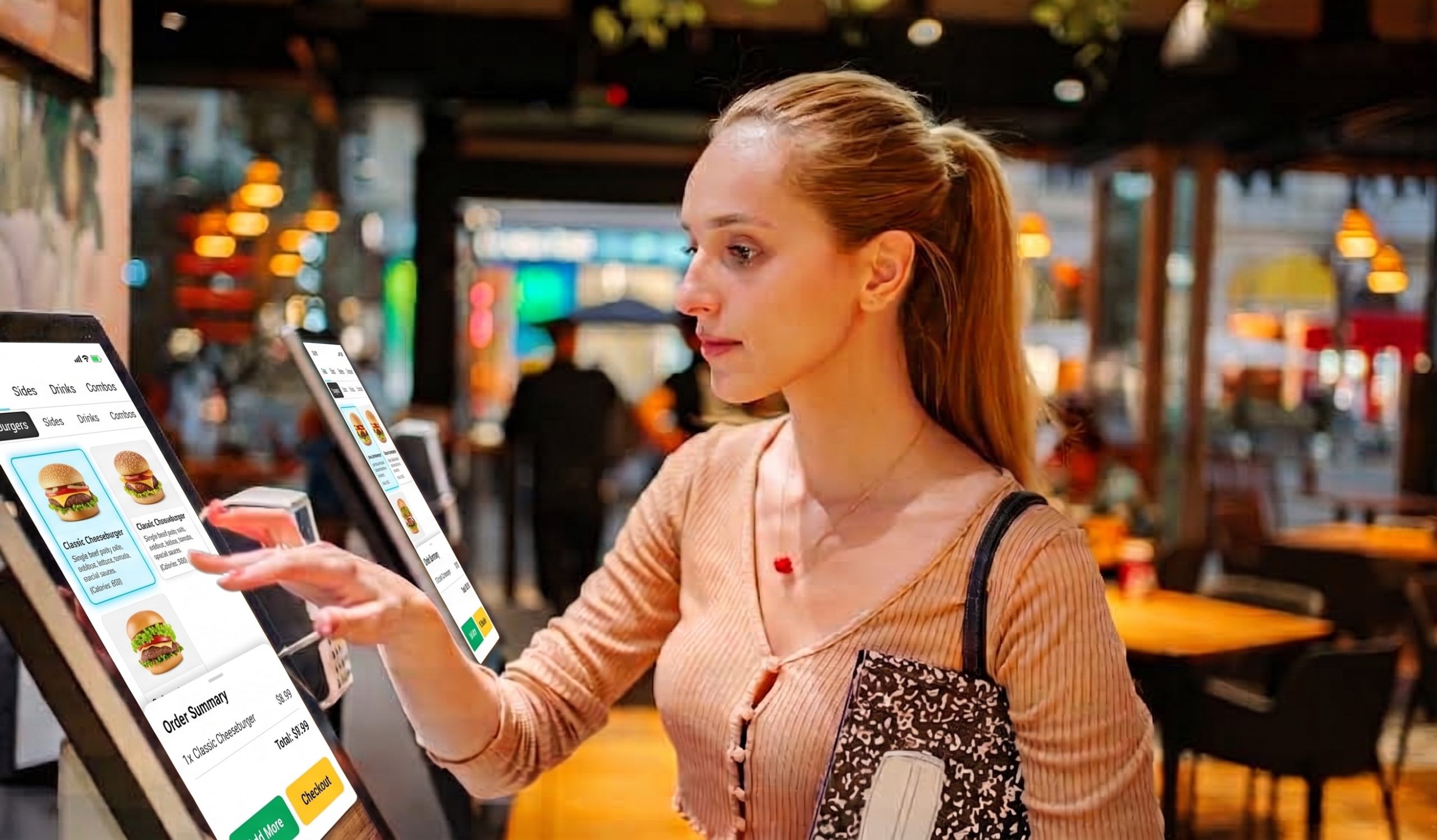
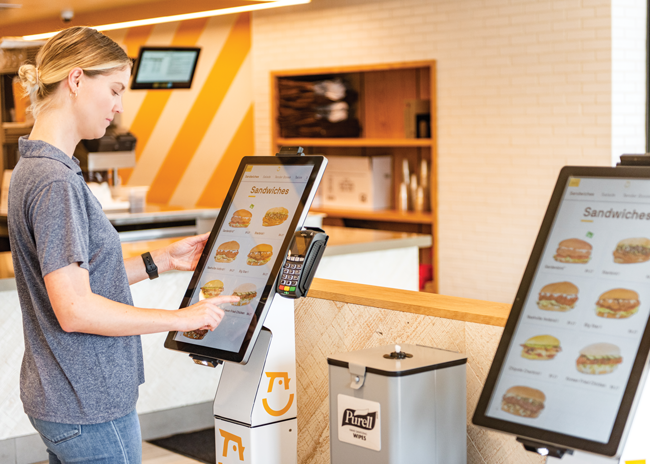
There’s room to say more. A menu board is one fixed piece of wall, which is why allergen details always lose the fight against the photo of the burger. A kiosk has as many screens as it needs. Full allergen and nutrition information can sit one tap behind every item without shrinking anything else.
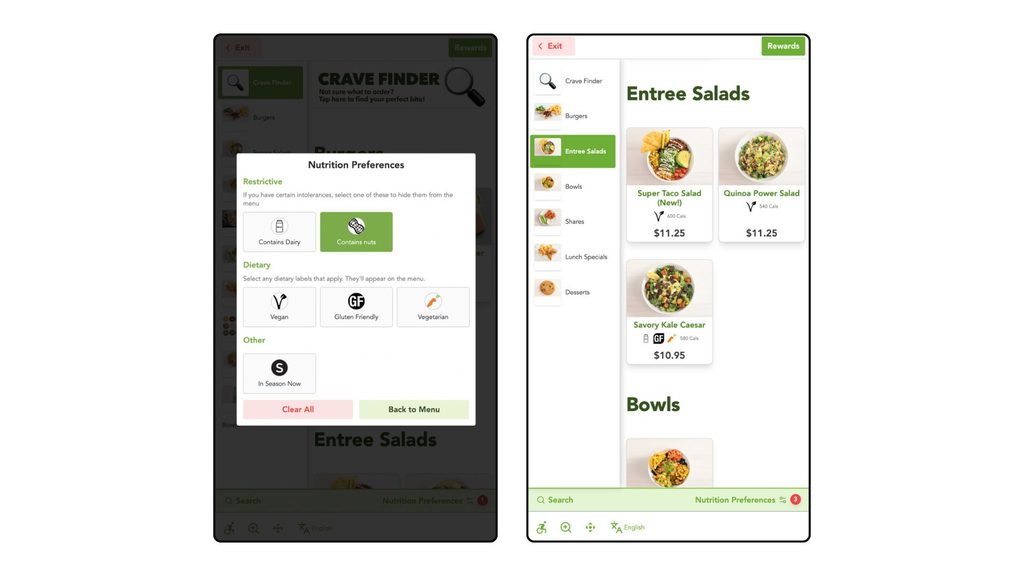
Nobody has to disclose a medical condition to a stranger. This is the underrated one. A kiosk lets a guest filter privately, at their own pace, without narrating their health history over a counter to someone they’ll never see again.
The filter catches the mistake before it happens. A guest can set their restrictions when they start the order, and unsafe items get flagged or hidden right there on screen. You prevent the wrong order instead of remaking it.
One update, every store, same day. Change an ingredient once, and every kiosk in every market shows the change immediately. That matters when seven states are each writing their own disclosure rules. The alternative is reprinting menu inserts for 300+ locations.
And none of this slows the line.
What good looks like—and where operators get it wrong
The most common mistake is a PDF allergen chart behind a QR code. Technically compliant, however, useless in practice. It asks a guest to stop ordering, pinch-zoom a spreadsheet on their phone, cross-reference it themselves, and then come back.
The better fix is a filter that keeps working all the way through the order—modifiers, combos, add-ons, everything. A filter that handles entrées and then quietly gives up at the sauce is worse than no filter at all, because by then the guest trusts it.
Best is filtering that sells. Don’t just subtract the unsafe items; surface the item they can have, including the premium one. A guest who walked in expecting to settle for a side salad and instead finds a protein bowl they trust spends more, not less.
One warning: filtering is only as trustworthy as your ingredient data. If your recipe records are stale or inconsistent across suppliers, a filter doesn’t reduce your risk—it formalizes it. Fix the data before you ship the feature.
The guests you’re not losing
No version of this goes backward. Allergen disclosure is becoming law, GLP-1 use keeps climbing, and the generation that grew up filtering everything from flights to streaming libraries is not going to start asking a cashier.
The operators who win here won’t be the ones with the longest list of allergen-free items. They’ll be the ones who made those items effortless to find.
Every filter you add is a guest you stop losing at the door.
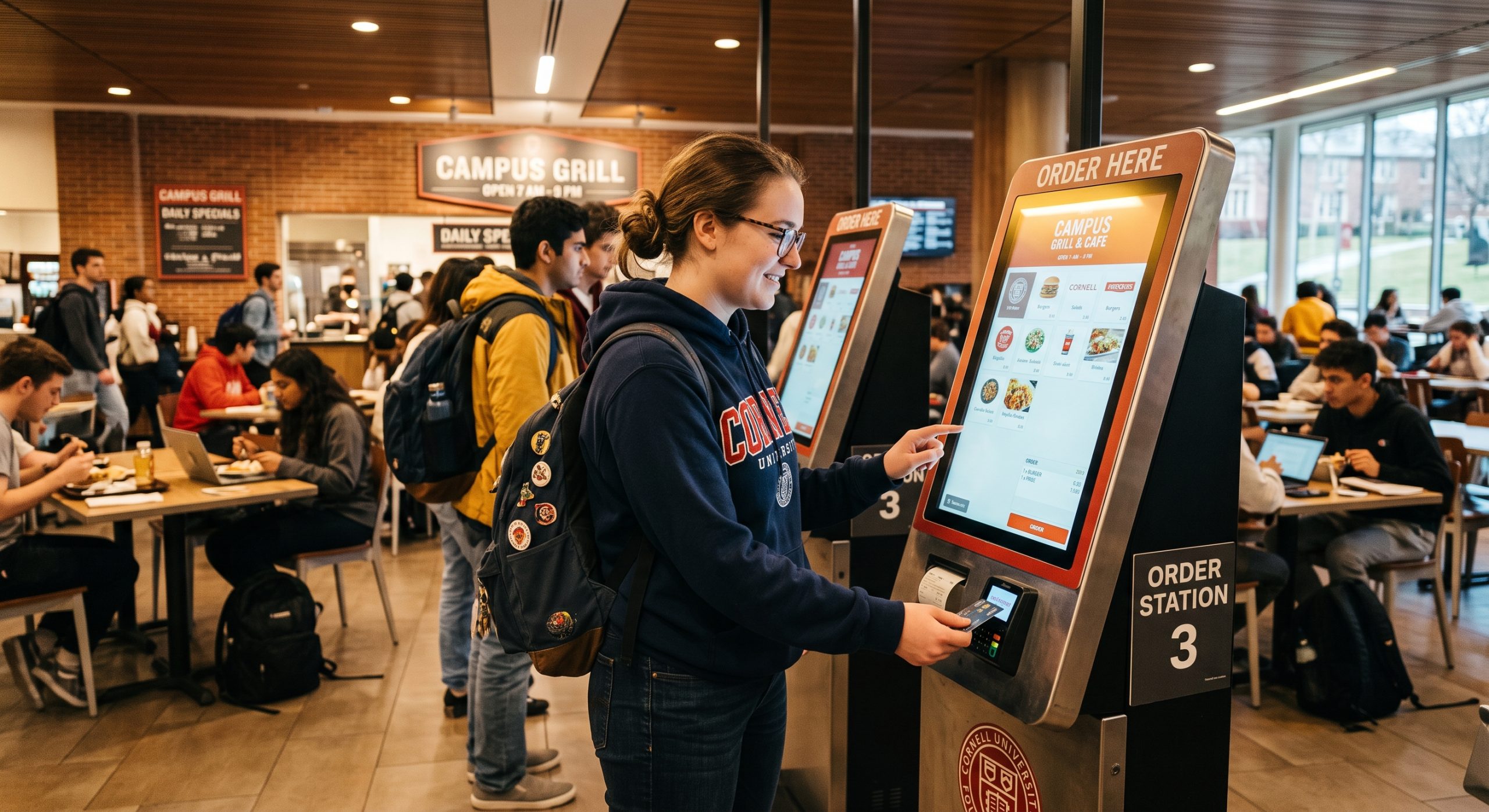
There are 72.2 million (about 21 percent of the U.S. population) living in the United States, and college campuses are some of the most Gen Z-dense environments anywhere. And as a generation, Gen Z has a very clear opinion about how they want to order food.
What’s happening in campus dining halls right now isn’t a niche story about university food service; it’s a preview of what QSR and fast casual operators will be managing across their broader footprint within the next few years. The ordering habits being built on campuses today are the customer expectations operators will be navigating everywhere tomorrow.
Campus Dining Is Under Real Pressure, And Technology Is Filling the Gap
The numbers from campus dining tell an uncomfortable story for universities. Research from Grubhub Onsite shows that 60 percent of student food and beverage spending now happens off campus—up from just 30 percent a few years ago. Meanwhile, 36 percent of students aren’t using their meal plans at all. The traditional campus dining model is losing the student.
Universities are responding with significant technology investment. Self-service kiosks, digital ordering platforms, smart micromarkets, and automated food stations are expanding across residence halls, student centers, libraries, and athletic facilities. In recent years, major food service operators like Aramark, Chartwells, and Compass Group are all deepening their campus partnerships with tech-forward dining programs. Chartwells, for example, brought Chick-N-Bap, Halal Shack, and other emerging brands to Binghamton University this year under a kiosk-integrated dining model.
The labor dimension is familiar to anyone running a QSR operation. Campuses face the same staffing pressures that restaurant operators do, and kiosks are solving the same operational problem in both environments: maintaining throughput and service quality without requiring headcount that isn’t available.
Gen Z Doesn’t Just Tolerate Kiosks—They Prefer Them
This is the part brand operators should be paying close attention to. Gen Z’s preference for self-service ordering is a decisive one.
91 percent of Gen Z customers prefer restaurants that offer kiosk services. 67 percent specifically prefer self-order kiosks, compared to 41 percent of the overall population. The reasons track closely with what makes campus dining so well-suited to the format: students cite the ability to customize their order independently as the primary advantage, pointing to the reduced pressure of self-paced ordering—no one waiting behind them, no one rushing their decision.
On a busy campus, that matters even more. Students moving between classes have limited time and high expectations. A kiosk that lets them browse, modify, and pay in under two minutes isn’t a convenience—it’s the baseline they’ve come to expect. By comparison, the counter feels like friction.
This generation didn’t grow up thinking of counter ordering as the default. Digital interfaces are their default. The campus environment makes that preference more visible because the audience is so concentrated.
Campuses Are a Real-World Testing Lab for Brand Operators
There’s something uniquely valuable about the campus dining environment from a data standpoint. Traffic patterns are dense and predictable. The customer base skews heavily toward a specific demographic. And the ordering behavior is observable in a way that’s harder to isolate in a typical QSR location with a more varied guest mix.
What brands are learning on campuses: Gen Z audiences navigate menus visually, not verbally. They spend more time exploring customization options. They pay close attention to dietary and allergen information—and they expect it to be easy to find. They respond to featured items and visual merchandising in the kiosk interface in ways that translate directly into higher attachment rates on add-ons and upgrades.
Those behaviors don’t stay on campus. Brand loyalty formed in college travels. The ordering habits a student builds at 19 follow them into their careers, their neighborhoods, and eventually their families. Brands that are introduced to students in a kiosk-first environment—and that deliver a good experience there—are building relationships that extend well beyond graduation.
What This Means for Brand Operators Off-Campus
The Gen Z cohort currently moving through university dining halls will be the dominant QSR and fast casual customer base within the next five years. The preferences they’re developing now—for digital ordering, for customization, and for low-friction self-service—are not preferences they’ll grow out of.
For brand operators, a few practical implications follow from this.
Menu design increasingly needs to assume visual browsing, not verbal ordering. When a guest is navigating a kiosk screen rather than reading a board and talking to a cashier, item photography, clear descriptions, and intuitive layout do the selling. Operators who design menus for the counter and then port them to a kiosk are leaving performance on the table.
Customization options matter more than they used to. Gen Z’s preference for building their order—not just picking from a preset—is a real purchasing driver. Kiosk interfaces that surface modifier options clearly and make customization feel easy, rather than buried, consistently outperform those that don’t.
Dietary and allergen filtering has moved from a nice-to-have to an expectation. Campus dining has led on this because the population is diverse and vocal about it. The same expectation is arriving in QSR.
The Operational Payoff Is Happening Now, Too
The campus-to-QSR connection isn’t just a future story. The case for kiosk-first ordering is playing out in real numbers today. When guests control their own ordering experience, they spend more. Bite Lift, Bite’s AI-powered upsell engine, drives a 20 percent or greater increase in average check size across Bite’s customer base—a consistent result that reflects what happens when a guest has the time and the interface to explore their options without pressure.
Order accuracy improves. Labor efficiency improves. And the guest experience improves for the segment of customers—increasingly the majority—who prefer it.
The campus dining shift is already underway. Universities are investing in the infrastructure, food service operators are building the partnerships, and Gen Z is voting with their orders. The question for brand operators isn’t whether this shift is coming to their locations. It’s whether they’re building toward it now or planning to catch up later.
August has a way of sneaking up on you. The summer rush is still going, your team is stretched, and fall feels like it’s a few weeks out until suddenly it isn’t. Before you know it, school has started, your labor pool has shifted, and the window to get ahead of the transition has closed.
The good news: a little proactive planning in August goes a long way. Operators who take the time now to review their data, shore up their staffing, and get their fall menus locked in consistently come into September in a stronger position, with less scrambling and more margin for the things that inevitably don’t go as planned.
Here’s a checklist worth running through before the month is out.
1. Mine Your Summer Data Before the Season Closes
Summer is one of the richest data windows of the year with high volume, extended hours, LTO testing, and concentrated foot traffic. Don’t let that data go unseen. Here’s how to ensure it doesn’t.
Pull daypart performance by location: where did you over- and under-index vs. the prior year?
Audit item-level sales: which LTOs earned their right to be on the menu? Which didn’t?
Review promotional attachment rates: which combos and upsells actually converted?
Flag recurring patterns. The locations that consistently outperformed (or struggled) in summer will likely do the same in fall.
2. Get Ahead of the Staffing Cliff
Every August, high school and college students cut hours as school resumes. Operators who plan for this come into September well-staffed. Operators who don’t spend the first month of fall short-handed, playing catch-up. Here’s how to prevent it.
Review your last two to three fall schedules: where did gaps appear, and in which dayparts?
Start recruiting now. Six to eight weeks before peak fall volume.
Tap local colleges, culinary programs, employee referrals, and returning seasonal hires.
Cross-train existing staff while you still have summer team overlap. It’s significantly harder after the cliff hits.
The window between too early and too late is narrow. Operators who have fall menus configured, tested, priced, and trained before September are live on Day 1.
Confirm ingredient sourcing for seasonal items. Lead times matter more in fall than summer.
Audit every combo, modifier, and price point for accuracy across all ordering channels.
Update digital menus, menu boards, and any kiosk or app interfaces before the items go live.
Train staff on new items now, while you still have your full summer team on the floor.
Set a go/no-go date for fall menu launch. Give yourself a hard deadline, not a soft target.
4. Rethink Your Daypart Strategy for Fall Routines
Summer daypart patterns are not fall daypart patterns. Back-to-school changes when guests show up, how long they stay, and what they want.
In the mornings, commuter traffic returns. Reassess staffing and prep volume for breakfast and early lunch.
At dinner times, families on school-night schedules want speed, not discovery. Review kitchen throughput and ticket times for the 5–7 pm window.
As for late-night hours, expect a meaningful drop in covers for most concepts. Plan for it rather than reacting to it in October.
Adjust your staffing model to match the new traffic shape before the school year starts, not after.
5. Set Your Fall Benchmarks Before the Season Starts
Without benchmarks set in advance, fall performance becomes a December post-mortem instead of a mid-season management tool.
Set location-level targets for average check, traffic by daypart, and LTO attachment rates.
Establish baselines from your summer data review.
Align your team on what a successful fall looks like before it starts.
Confirm all technology—digital ordering, loyalty, scheduling tools—is configured and stable before peak fall volume arrives; troubleshooting a new integration during the September rush complicates a typically manageable transition.
One Last Thing
No amount of August planning makes September completely smooth. There will always be something that doesn’t go as expected. But operators who take the time now to review their data, get their teams ready, and lock in their menus tend to navigate those surprises from a stronger position. The goal isn’t a perfect transition. It’s giving yourself and your team the best possible foundation before fall hits.
If you’re curious how Bite can help with the operational side of that transition—from menu updates to kiosk order data that informs smarter decisions—we’d love to show you what’s possible. Reach out at getbite.com/demo.
While burger chains grew just 1.4 percent in 2024, chicken-centric QSRs grew nearly 9 percent. Needless to say, the category is booming. The brands pulling ahead aren’t just riding that wave—they’re building operations designed to scale it. And increasingly, that means going all in on kiosks.
Chicken’s Moment Is Here (And It’s Not a Blip)
The numbers tell a clear story. According to Datassential, the limited-service chicken segment is now the fastest-growing major QSR category by unit count, expanding at a 4.4 percent annual rate with sales reaching $55.24 billion in 2025. Chicken now accounts for roughly 12 percent of all U.S. chain restaurant sales, up from 7 percent in 2015—a share gain that would be staggering in almost any other category.
QSR Magazine’s 2026 QSR 50, the industry’s annual benchmark for chain performance, reinforces why. Wingstop posted $4.8 billion in 2024 sales with 20 percent same-store sales growth and 278 net new units. Chick-fil-A added 178 net new units in 2025 alone. These aren’t outliers. They’re indicators of where franchise capital and consumer attention are flowing.
The momentum is holding even as the broader fast-food sector struggles. Placer.ai data shows chicken chains were among only three QSR segments to grow visits in the first half of 2025, even as burger traffic fell 1.7 percent and sandwich concepts dropped more than 3 percent.
All four have heavily invested in kiosks to meet their customers’ preference in ordering.
There’s a more nuanced picture beneath the headline growth, though. Foot traffic per location has declined across the category as brands have raced to open units. What that signals: raw expansion alone doesn’t protect margins. The operators positioning themselves to win long-term are building better unit economics, not just more units. Kiosks are a meaningful lever in how they’re doing it.
Why Chicken Menus Are Built for Kiosk Ordering
Not every restaurant category benefits equally from kiosks. Chicken concepts do.
The reason is menu architecture. Chicken concept menus are customization-heavy by nature: spice levels, sauces, bone-in or boneless, sandwiches or tenders, combo configurations, and seasonal LTOs.
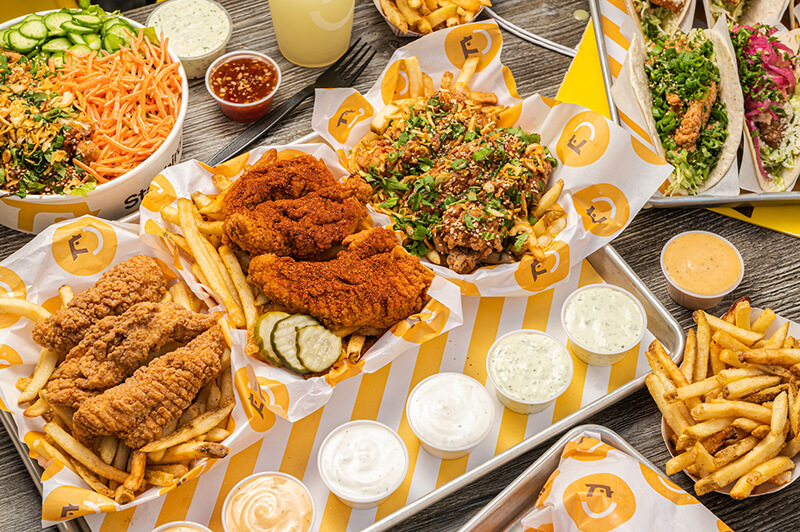
Image courtesy of Starbird Chicken.
At a front counter, that complexity creates friction. A guest takes longer to decide, the cashier slows to accommodate, and the line backs up. On a kiosk, that same complexity becomes an asset. The guest can browse, explore options, and modify their order at their own pace, all while the visual merchandising does the selling that a counter employee simply can’t replicate under volume.
This matters especially for culturally rich menus. Jollibee and Bonchon bring globally influenced flavor profiles with nuanced modifier options—the kind of menu that benefits enormously from a visual, self-guided ordering experience where guests can learn as they order, not just transact.
There’s a throughput argument, too. Chicken concepts often see compressed, high-volume windows at lunch and dinner. Kiosks absorb order volume independently, reduce the queue, and give kitchens more predictable ticket flow without requiring additional front-of-house labor.
Starbird Built the Playbook
Starbird Chicken is the clearest proof point the industry has for what a kiosk-first chicken concept looks like in practice.
The Silicon Valley-born chicken brand began piloting Bite kiosks in 2019. When COVID hit six months later, they accelerated the rollout—deploying kiosks outside locations as a contactless ordering solution. What started as a response to circumstance became a strategic advantage. Today, Starbird operates three to four Bite kiosks in over a dozen of its locations, and is designing new restaurants with kiosks as the primary ordering method.
Video courtesy of Starbird Chicken.
The results are measurable. Between 60% and 70% of all in-store orders at Starbird now flow through Bite kiosks. And the platform has become something beyond an ordering tool—it’s their primary guest data acquisition channel.
By integrating Bite kiosks with Attentive’s SMS platform, Starbird grew their subscriber list 6X in just six months. Of their 136,000 total SMS subscribers, more than 108,000 — nearly 80%—opted in via kiosk. Those kiosk-acquired subscribers have become their highest-performing SMS audience.
“Integrating Bite’s kiosk technology with Attentive has been a game-changer for us,” said Casey Hilder, Director of Marketing at Starbird. “It’s allowed us to build a stronger connection with our customers, delivering timely, personalized messages that enhance their experience and keep them engaged with the Starbird brand.”
The Compounding Benefits: Check Size, Loyalty, Speed
The financial case for kiosk ordering in chicken concepts compounds quickly.
Bite Lift, Bite’s AI-powered upsell engine, analyzes each transaction in real time and surfaces contextual recommendations—a sauce upgrade, a larger combo, an add-on that pairs with what’s already in the cart. Across Bite’s customer base, Bite Lift consistently drives a 20 percent or greater increase in average check size. At a chicken brand averaging a $12 to $16 ticket, that lift adds up fast across a multi-unit footprint.
Order accuracy improves as well. Guests entering their own orders—especially complex, multi-modifier ones—eliminate the miscommunication that causes re-fires and comps. In a category where margins are already under pressure from ingredient costs and labor, removing that friction from the kitchen is material.
Then there’s the loyalty flywheel. Starbird’s experience shows that kiosks are an underutilized opt-in channel. Guests who are engaged enough to visit in-store are exactly the audience brands want in their SMS and loyalty programs. The kiosk catches them at the right moment, in the right context.
Building for the Category’s Next Chapter
The chicken QSR segment is still early in its expansion cycle. New units will continue to open, menus will get more complex, and competition for the same guest will intensify. The operators who build smarter infrastructure now will outperform those who try to retrofit it later.
That means designing new locations with kiosks as primary ordering channels. It means using kiosk data to understand what guests actually order, which upsells convert, and which LTOs are working in which markets. And it means treating the kiosk as a guest relationship tool, not just a transaction terminal.
The brands already doing this—Starbird, Bonchon, Slim Chickens, Big Chicken, Jollibee—are some of the fastest-scaling names in the category. That’s not a coincidence.
Restaurant peak season staffing is one of those problems that looks like a headcount problem from a distance and a systems problem up close.
Every summer, operators face the same math: more covers, more dayparts, more pressure — and the same constrained pool of available labor to cover it. The instinct is to hire more people. Sometimes that’s right. But the operators who consistently perform well during their busiest months aren’t just the ones who staff up the fastest. They’re the ones who think harder about where their people are deployed, how their systems absorb front-of-house pressure, and how they build a staffing model that doesn’t require everything to go right in order to hold together.
Here’s what that looks like in practice.
The Labor Market Doesn’t Get Easier in Summer
According to the National Restaurant Association’s 27th annual Eating and Drinking Place Summer Employment Forecast, restaurants are projected to add 490,000 seasonal jobs this summer, making the industry the second-largest source of seasonal employment in the country, behind only construction. But the conditions operators are hiring into haven’t gotten friendlier.
The NRA’s 2025 State of the Restaurant Industry report found that 77% of operators say recruiting and retaining employees is still a leading challenge, and that pressure doesn’t ease when summer volume ramps up. The truth is, it compounds. Corporate sets the headcount budget and scheduling guardrails. Regional operators own the execution problem when those budgets don’t stretch to match what summer actually demands.
The result is a familiar tension: more covers moving through locations that are already running lean, managed by a mix of returning staff and seasonal hires who are still finding their footing. The question at the end of the day is how to structure the operation so that it performs regardless of the challenges.
Seasonal Hires Belong in the Right Roles, Not Just Available Ones
Here’s a staffing mistake that plays out every summer across multi-unit operations: a new seasonal hire gets put on the register because that’s where the immediate coverage gap is. They’re slower, they make more errors, and every fumbled order adds to the line behind them.
The instinct is understandable. You have a body, and you have a gap—you fill it. But new hires have the highest error rates and the steepest learning curves, and the register during a summer lunch rush is one of the highest-stakes, highest-visibility roles in the building. Putting inexperienced staff there doesn’t solve the throughput problem. It compounds it.
The smarter deployment is to assign seasonal and newer hires to roles where the risk of error is lowest and the need for execution speed is highest: food running, bussing, expo support, lobby management. These roles contribute directly to throughput and guest experience without putting new team members in positions where a slow transaction or a misheard order backs up the entire front of house.
That redeployment logic only works, though, if your experienced staff aren’t pinned to the counter. Which is where the technology question becomes a staffing question.
Kiosks Change the Labor Equation at the Counter
When kiosks are handling a significant share of order intake, the staffing equation at the front of house shifts. Counter staff don’t disappear—they just move. And where they move is the decision that separates operators who get real leverage from their kiosk investment from those who just have kiosks in their lobby.
According to Restaurant Dive’s coverage of major QSR kiosk deployments, restaurants that feature kiosks redeploy labor so employees can focus on preparing food, reducing the need for front counter staff to take orders. The value isn’t just labor reduction, it’s labor reallocation toward the roles that actually move throughput during a rush.
Bite’s partnership with Urbane Cafe is a practical example of what this looks like at scale. Through their kiosk deployment, Urbane Cafe has been able to shift team members away from order-taking and toward the guest-facing hospitality roles that define the brand experience. It’s a reallocation in practice that makes a real-world difference in the guest experience and their bottom line.
There’s a compounding benefit during summer specifically: Bite kiosks deliver 99% order accuracy regardless of volume. During the weeks when your most experienced staff are stretched thin and newer hires are filling gaps, that consistency matters.
Cross-Train Before You Need To
One of the clearest operational levers for peak season isn’t hiring, it’s preparation. With 77% of operators citing recruiting and retaining as a leading challenge, per the NRA’s 2025 State of the Restaurant Industry report, most operations are heading into summer already running below their ideal staffing depth. Cross-training is the primary way to build flexibility into a team that may not be at full strength when volume peaks.
For multi-unit operators, the timing of cross-training matters as much as the practice itself. Cross-training done in May, before summer volume ramps up, builds the flexibility your locations need in July. Cross-training attempted during a peak rush is training under duress. It’s slower, less effective, and more likely to create the errors you were trying to prevent.
The practical implication looks like this. Identify your highest-risk coverage gaps by location before peak season and run cross-training against those specific gaps. Which roles go sideways first when volume spikes? Which team members are closest to being capable in those roles with a bit of preparation? Those are the investments that pay off when it matters.
Schedule Against Data, Not Last Year’s Anecdotal Memory
Operators who build their peak season staffing plans around a general sense of “summer is busy” rather than actual daypart-level data are solving the wrong problem. Summer volume isn’t uniform. It’s specific. Tourist-heavy locations see patterns that commuter corridors don’t. Weekend dinner service in June looks different from weekday lunch in August. The locations that struggle during peak season are often the ones scheduled for average expectations rather than the actual demand their specific location and daypart combination generates.
Transaction data by location, day of week, and daypart is the most actionable staffing tool that most operators aren’t fully using. Where does ticket time consistently fall apart? Which locations are running thin coverage during their highest-volume windows? Which dayparts are generating more orders than the current staffing model can absorb cleanly?
Bite’s Sales and Analytics Dashboard surfaces exactly this data—location-level and daypart-level transaction visibility that gives corporate and regional teams the information to schedule more precisely against actual demand. The goal isn’t to staff for the average week. It’s to staff for the hard weeks without blowing the labor budget on the easy ones.
Build for the Hard Weeks, Not the Best-Case Scenario
Peak season staffing plans that only work when everything goes right aren’t plans—they’re optimistic projections. Someone calls out. A seasonal hire doesn’t show. A location gets hit with an unexpected volume spike on a Tuesday. The operations that hold together under those conditions aren’t the ones with the most people on the schedule. They’re the ones with the most flexibility built into the model.
That flexibility comes from a few places: cross-trained staff who can cover multiple roles without a full retraining cycle, kiosk coverage that doesn’t depend on who showed up that morning, and scheduling visibility that surfaces gaps before they become a problem on the floor. It also comes from being honest about where your single points of failure are—the roles, the locations, and the dayparts where one staffing problem tumbles into a guest experience problem.
Peak season tests every part of your operation—staffing most of all. The operators who perform consistently during their busiest months have figured out that it’s not really a headcount problem. It’s a deployment, technology, and planning problem. Get those three things right, and the headcount you have goes a lot further.
Peak season fills seats. But filling seats doesn’t automatically mean better margins. For multi-unit operators trying to maximize restaurant revenue during peak season, that gap is where the real work happens.
The operators who grow revenue during their busiest months have figured out something important: volume creates opportunity, but only if your systems are built to capture it. More covers moving through your locations generate more chances to grow the check, introduce a premium add-on, and push a high-margin item. Miss those moments consistently across hundreds of orders, across dozens of locations and you’ve left meaningful revenue on the table during the period you could least afford to.
Here’s how the best operators close that gap.
High Volume Is When the Human Upsell Breaks Down
There’s a counterintuitive reality about peak season that most operators recognize but rarely address directly: the busier your locations get, the less reliable your staff-driven upselling becomes.
When a line stretches to the door, and a team member is focused on moving guests through as fast as possible, suggestive selling is the first thing that goes. It’s not a training failure—it’s physics. A cashier managing a lunch rush doesn’t have the bandwidth to work through a thoughtful upsell opportunity for every order. They take the order, process the payment, and move on. It’s the right call for throughput. It’s a quiet revenue leak at scale.
This is precisely why peak season is the highest-leverage moment for kiosk upselling. The kiosk doesn’t experience a lunch rush the same way a team member does. It surfaces the same well-configured upsell prompt on the 400th order as it did on the first, consistently, without fatigue, and without skipping steps when the lobby fills up. That consistency is where the revenue case for kiosk technology is most concrete.
What Kiosk Upselling Actually Does to the Check
The check lift data on kiosk ordering is well established at this point. Industry operators report average check increases from kiosks ranging from 15 to 30 percent, depending on whether the kiosk experience is optimized for speed of service or upselling, according to QSR Magazine’s coverage of operator deployment data.
The act is straightforward. Kiosks surface add-on prompts at the moment of highest purchase intent—after the main item is selected, and before the order is confirmed. They don’t rely on a team member remembering to mention the side, the upgrade, or the seasonal add-on. They do it every time, for every order, based on what the guest has already selected.
Yum Brands CFO Christopher Turner said in a 2023 earnings call: “Kiosks not only drive a higher check compared to our traditional front counter, but also drive higher margins through operational efficiencies and generate new opportunities to leverage customer data and create personalized ordering experiences.”
Restaurant Dive’s coverage of that call is worth reading in full for the broader context on where major chains are placing their bets.
Bite operators consistently see 20%+ average check lift across their kiosk deployments—a figure that reflects both upsell attachment and the broader effect of guests spending more time with the menu when they’re in control of the ordering experience.
The Upsell Logic Has to Be Built for Performance, Not Just Presence
Not all kiosk upselling is equal. A kiosk that surfaces a random add-on, or promotes items without regard for contribution margin or prep time, isn’t capturing revenue—it just adds noise to the ordering experience.
The configuration of the upsell sequence matters enormously. During peak season, when kitchen bandwidth is constrained and ticket time is a variable you can’t afford to ignore, the items you’re promoting at the kiosk need to pass two tests: they need to be high-margin, and they need to be fast. A summer LTO that takes four minutes to prep should not be the featured upsell during the lunch rush. A high-attachment add-on with a strong contribution margin that comes off the line in under a minute should be.
This is the problem Bite Lift is built to solve. Rather than static upsell rules configured once and left alone, Bite Lift uses AI to match the right add-on to the right order at the right moment. It’s the difference between an upsell sequence that was smart at setup and one that stays smart as your menu, your traffic patterns, and your guest behavior evolve across the season.
For multi-unit operators, the additional value is consistency. Upsell logic configured at the brand level performs the same way at every location.
Use Your Peak Season Data Before the Season Ends
Peak season generates more transaction volume than any other period, which means it also generates more data. Operators who aren’t actively mining that data mid-season are missing a competitive window that closes when traffic normalizes in the fall.
The most actionable analysis is straightforward: pull your item-level sales mix, your upsell attachment rates, and your daypart performance by location. Look for the gaps. Which items are being promoted but underperforming on attachment? Which locations are seeing strong check lift and which aren’t—and what’s different about each? Which dayparts are converting on upsell prompts and which are seeing guests skip past them?
Bite’s Sales and Analytics Dashboard surfaces this data at the org and location level, giving corporate and regional teams the visibility to make configuration adjustments mid-season rather than waiting for a post-mortem. The operators who come out of summer with better margins aren’t the ones who reviewed the data in September. They’re the ones who acted on it in July.
Peak season is the highest-leverage moment to close the gap between traffic and revenue. The volume is already there, but are the systems configured to capture it on every order, at every location, across every daypart? If you’re ready to see what that looks like in practice, request a demo, and we’ll show you how Bite operators are doing it.
Summer doesn’t sneak up on restaurants. Operators know the volume is coming weeks in advance. They staff up, prep more, and push harder. And yet every year, the same thing happens: lines back up, ticket times stretch, and guests who might have become regulars walk out the door before they ever place an order.
The problem usually isn’t the kitchen. It’s everything upstream of it. Ordering infrastructure that was built for a normal Tuesday. Staff positioned where they’ve always been, not where peak volume actually needs them. Systems that work fine at moderate volume and quietly break down when covers spike.
Multi-unit operators who consistently outperform during peak season aren’t just working harder. They’re running tighter systems. Here’s what that looks like in practice.
1. Walk Your Locations Before the Rush Does
The best pre-season investment costs nothing but time. Walk each of your locations during a simulated high-volume period, ideally when traffic is already elevated, and map what you see. Where do guests naturally slow down after entering? Where does the line form when the lobby gets full? Where does the ordering process visibly stall?
This matters especially for locations with kiosks. A kiosk that sits to the side of the natural guest flow gets ignored. One positioned at the point where guests decelerate after entering captures orders before a counter queue ever forms. Placement relative to entry traffic patterns has a direct impact on adoption—and adoption is what drives throughput at scale.
While you’re walking, evaluate signage and queue management too. These are consistently underdone. Guests who don’t know where to go don’t wait patiently while they figure it out, they get frustrated, they leave, or they create congestion that slows down everyone behind them.
2. Let Kiosks Handle Order Intake at Volume
Counter service has a structural limitation: it’s sequential. One guest orders, then the next. During a summer lunch rush, that constraint compounds fast.
Kiosks break the sequential bottleneck by letting multiple guests order simultaneously. The throughput math is straightforward: Four guests ordering in parallel move through the system faster than four guests waiting in line. That difference is manageable at low volume and significant when covers spike.
The industry has taken note. Shake Shack’s kiosks are now the brand’s largest and most profitable ordering channel, with kiosk checks running meaningfully higher than other in-store ordering channels—a result the chain attributed to smarter upsell sequencing through the kiosk experience. According to reporting from Restaurant Dive, a majority of QSR and fast casual guests now prefer kiosks over counter ordering when lines exceed four people—a figure that has grown significantly year over year.
For multi-unit operators still evaluating kiosk ordering ROI, peak season is the clearest test case available. The volume is real. The staff constraint is real. The question is whether your ordering infrastructure can keep pace with both.
3. Align Your Menu for Speed Before You Need To
A menu that performs well at moderate volume can become a throughput liability when summer traffic hits. Complex modifier flows, items with long prep dependencies, and poorly organized category structures all slow down the order process at the kiosk, at the counter, and in the kitchen. The effects multiply when every station is running at capacity.
Before peak season, run a practical audit. Which items drive the longest ticket times? Which modifications generate the most kitchen confusion or order errors? If you’re running summer LTOs, have those items been stress-tested at volume, or only at normal traffic levels?
On the kiosk side, this translates to deliberate merchandising decisions: which items are promoted in featured slots, how modifier screens are sequenced, and whether your default selections reduce friction or add to it. Small adjustments to item placement and modifier flow can meaningfully reduce average order duration without any changes to the menu itself. Bite’s Sales and Analytics Dashboard gives operators the item-level data to make those calls with confidence rather than gut feel.
4. Redeploy Your Team Toward Execution
When kiosks are handling a significant share of order intake, the labor freed from the counter doesn’t disappear; it shifts. The operators who get the most out of that shift are intentional about where the capacity goes.
The highest-value redeployment during peak season is toward execution: food prep, expo, and guest experience. These are the roles where speed and accuracy have the most direct impact on throughput and satisfaction, and they’re also the roles that get stretched thinnest when volume spikes. A team member who would otherwise be managing a register queue can instead focus on keeping the kitchen moving, which is where the actual bottleneck usually lives.
QSR operators increasingly view kiosk deployment as a way to improve labor flexibility, not reduce headcount. It’s a framing that holds especially during summer, when you may be onboarding seasonal staff with limited experience. Limiting new hires’ exposure to high-stakes, high-error roles at the counter while kiosks handle ordering is a meaningful risk management decision, not just a staffing one.
5. Build a Daypart Strategy Around Your Actual Peak Windows
Not all summer volume looks the same. Tourist-adjacent locations see different traffic patterns than commuter corridors. Dinner daypart extends significantly in summer, particularly near outdoor venues, retail districts, and recreation areas. Weekend volume profiles can look almost nothing like weekday ones.
Treating “summer” as a single operational condition misses the specificity that matters. Pull your transaction data by daypart, day of week, and location. Find where throughput consistently degrades—not just which locations are busy, but when and why the system slows down at each one.
Peak season rewards preparation. Operators who treat summer as a systems problem—not just a staffing problem—come out of it with better margins, better guest scores, and an operational playbook that holds up well beyond Labor Day.
If you’re evaluating how kiosk technology can support throughput and consistency across your locations, request a demo to see what Bite makes possible.
The Limited-Time Offers (LTO) landscape has never been more crowded. According to Technomic data, the number of LTO launches at restaurant chains more than doubled in recent years, rising from 17,790 in 2020 to 36,830 in 2024, and 2025 was tracking even higher at the time the article was written. Across QSR and fast casual, operators are running seasonal promotions at a pace the industry has never seen before.
The case for running LTOs is well established. TouchBistro’s 2025 American Diner Trends Report found that 62% of diners say they’re motivated to visit a restaurant that has a limited-time offer—and that holds across every generation. LTOs drive traffic. That part is working.
The problem is how most operators measure whether they worked. If your post-LTO evaluation starts and ends with sales volume, you’re answering the wrong question. Volume tells you if guests ordered it. It doesn’t tell you if the restaurant made money on it.
That distinction matters more than operators typically acknowledge. The margin opportunity inside a well-run LTO program is real and substantial. But it’s only capturable if it’s designed for from the start—not treated as an afterthought once the item is already on the board.
The Margin Mistake Most Operators Don’t Catch Until It’s Too Late
The most common analytical error in LTO pricing isn’t carelessness. It’s using the wrong metric as the primary lens. Most operators price new items by targeting a food cost percentage: hit 28%, hit 30%, and the item passes the test. The problem is that food cost percentage and contribution margin don’t tell the same story.
Consider a straightforward illustrative example. Item A is priced at $13 with a food cost of $3.90 (30%), producing a contribution margin of $9.10. Item B is priced at $9 with a food cost of $2.25 (25%), producing a contribution margin of $6.75. Item B has a better food cost percentage. Item A generates $2.35 more profit per transaction.
If you engineer your spring LTO to hit a 28% food cost target and it lands at $9, you may be walking away from more than $2 per order compared to a better-priced item at $13—and that gap compounds fast across a high-volume LTO window.
This is a documented pattern in menu engineering literature: a dish with a higher margin percentage but low sales can generate less total profit than a lower-percentage dish that sells in volume, and conversely, a higher-priced item with a slightly higher cost percentage can dramatically outperform a cheaper item on pure dollars contributed. Contribution margin, not cost percentage, is the right framework for evaluating LTO profitability.
The Three Hidden Costs That Eat Your LTO Margin
Once you have the right metric, the next step is making sure you’re measuring the right costs. Three in particular tend to be undercounted in post-LTO evaluations.
Operational Complexity
Every new ingredient, SKU, or prep step added for an LTO carries costs that don’t appear on the recipe card: staff training time, slower throughput, higher error rates, and waste from over-ordering. QSR Magazine’s long-running Drive-Thru Performance Study has consistently documented that menu complexity is one of the primary drivers of slower service times, and that even small increases in order complexity can meaningfully affect throughput. In a format where speed is a core part of the value proposition, that’s a real business cost. The best-designed LTOs lean heavily on ingredients already in the kitchen.
Waste From Over-Ordering
Seasonal ingredients purchased in anticipation of LTO volume don’t always move at the forecasted rate. Waste is a direct margin hit that rarely gets factored into the post-LTO review — operators see strong early sales and call the LTO a success, even if the tail end of the window created significant spoilage. Operators who track waste by item during the LTO run get a much cleaner picture of true profitability.
The Merchandising Gap
An LTO that guests don’t know about, or don’t understand, doesn’t sell — regardless of how well it was engineered on paper. Research consistently points to a lack of information, rather than price resistance, as a primary barrier to LTO trial. The cost of under-merchandising shows up as opportunity revenue: transactions that could have included the LTO but defaulted to the familiar order instead.
How to Design an LTO for Profit, Not Just Traffic
The fix isn’t complicated, but it requires a different sequence. Instead of starting with a menu concept and then checking whether it pencils out, start with the margin floor.
Start With The Contribution Margin Target
Before the item is conceived, set a floor. What does this LTO need to contribute per transaction to justify the additional operational overhead? If the floor is a $9.00 contribution margin and your target ingredient cost is $3.50, your minimum price is $12.50. That number anchors the concept development, rather than trailing behind it.
Build Around What You Already Have
The most profitable LTOs use existing ingredients in new configurations, or add a single high-impact ingredient to an established base. This constrains the creative brief somewhat, but it dramatically reduces operational complexity costs.
Price For Perceived Value, Not Cost Convention
Spring ingredients carry inherently high perceived value. Guests don’t know what asparagus or fresh herbs cost at wholesale, but they know those ingredients feel seasonal and premium. Spring LTOs can often support higher price points than operators assume, particularly when the item is positioned around freshness and limited availability. Don’t let a food cost percentage target set a price ceiling that your guests aren’t actually imposing.
Set Evaluation Criteria Before Launch
Define success upfront: a minimum order volume threshold, a CM floor, an acceptable waste percentage, and an upsell attachment target. This transforms the end-of-window decision—keep it, iterate it, retire it—from an emotional call into an analytical one. It also prevents the common trap of keeping a low-margin LTO running too long because it “feels like it’s doing well.”
The Upsell Layer: Where Kiosk Technology Captures the Profit LTOs Promise
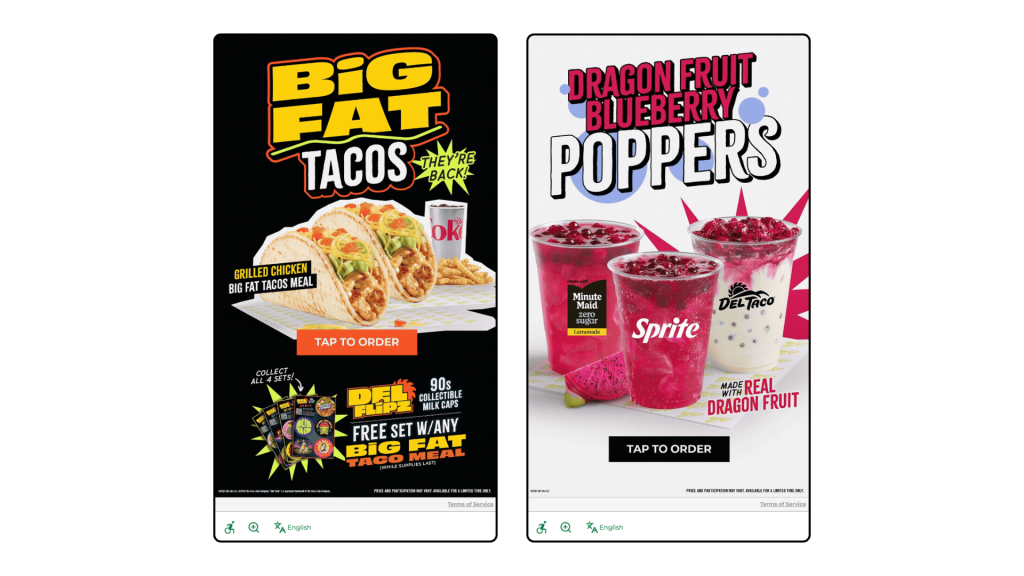
Del Taco kiosk welcome screens, powered by Bite, showcase LTO offerings at the start of the ordering process.
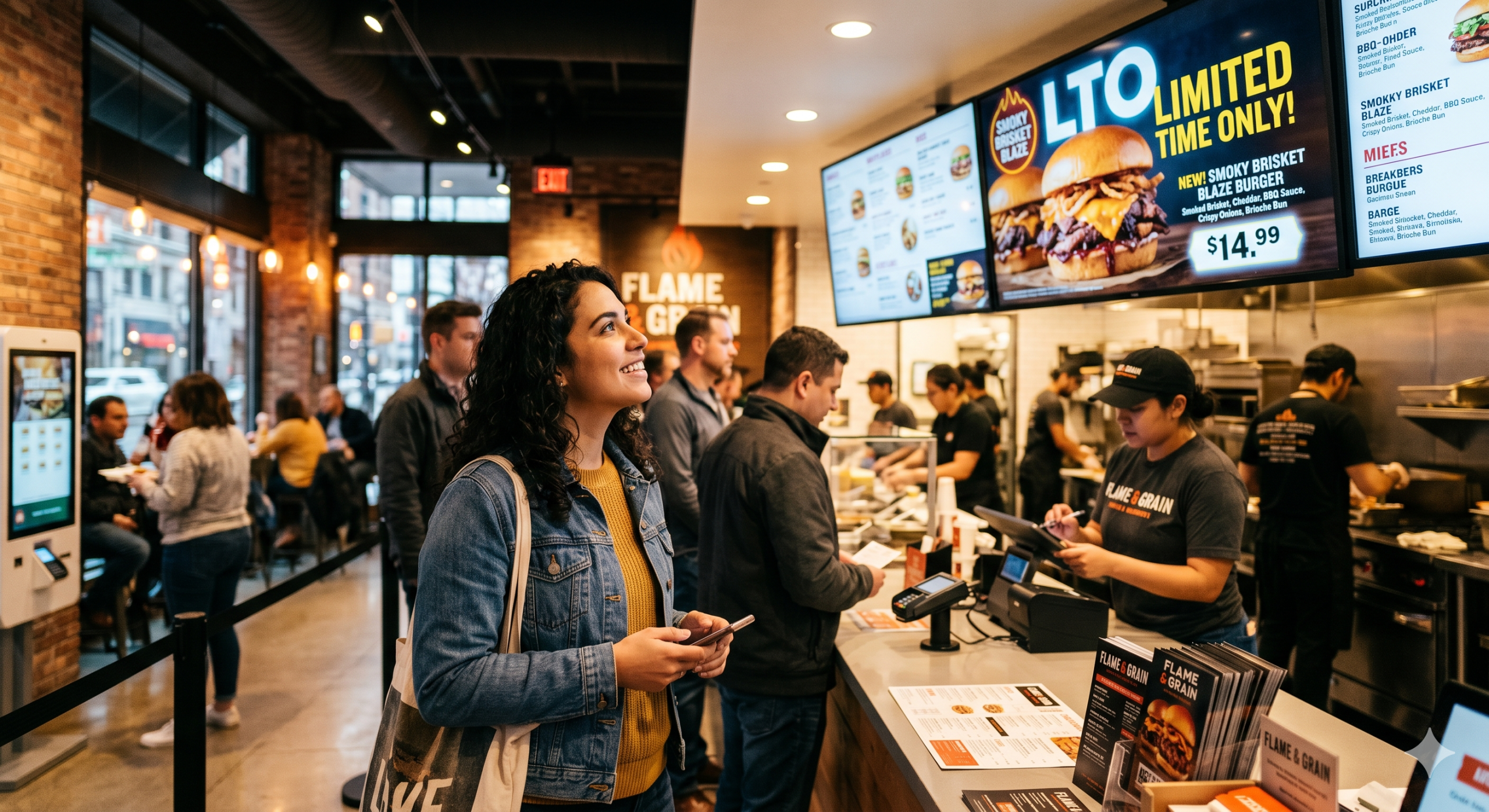
Even a well-designed, well-priced LTO only generates its full margin potential if guests actually order it. In a counter service environment, promotional awareness depends on signage, staff mentions, and timing. At the kiosk, it can be systematic.
AI-driven upsell logic can be configured to surface your spring LTO specifically to guests who haven’t tried it yet, or who have previously ordered similar items. It can prioritize the LTO as a suggested add-on during the window when promotional momentum matters most—typically the first two to three weeks after launch—and deprioritize it as novelty fades. It can also be weighted to push the LTO during slower dayparts, where incremental margin contribution is most valuable.
The kiosk doesn’t replace the LTO strategy. It executes it consistently, at every transaction, without relying on a team member remembering to mention the special or a guest happening to notice a poster on their way to the counter.
Bite Lift is built to do exactly this—surfacing the right item to the right guest at the right moment, so the margin opportunity you built into your LTO doesn’t get left on the table at the point of sale.
The LTO You’re Running Is Probably Worth More Than You Think
The margin opportunity inside most operators’ LTO programs isn’t theoretical. It’s already there. The question is whether it’s being captured through disciplined pricing and margin-first design, or quietly eroded by the wrong success metric, untracked costs, and inconsistent in-restaurant execution.
Running more LTOs won’t close that gap. Running them better will. Request a Bite demo to see how AI upselling supports LTO performance at the kiosk—and start capturing the margin your seasonal program is already generating.
Most operators think of their kiosk as just an ordering tool. But every transaction processed through a kiosk generates structured, queryable data that restaurants can put to good use.
The spring menu planning process at some QSR and fast casual concepts is still largely intuition-driven: chef instinct, trend reports, and a scan of what competitors just launched. Meanwhile, the kiosk is quietly capturing exactly how guests behave when left to browse and choose on their own, without a server influencing the decision.
That behavioral data is one of the most underutilized assets in restaurant operations. And spring menu season is the right moment to start using it.
What Kiosk Data Captures That Counter Service Can’t
Before making the case for data-driven menu planning, it helps to be specific about what’s actually different about kiosk-generated data.
Browse Behavior vs. Purchase Behavior
A kiosk can capture what guests look at before they order: which items they tap into, which they scroll past, and which they linger on before choosing something else. Counter service captures only the final decision. That gap is where you find underperforming items that have an awareness problem versus a genuine preference problem. Those require very different responses.
Modification Patterns
Kiosk orders come with clean, structured customization data. When guests consistently modify a specific item the same way, removing an ingredient or swapping a side, that’s a signal either about guest preference or about how the item is currently built. Both matter for menu planning.
Upsell Acceptance Rates
Which prompted add-ons do guests accept versus decline? This data tells you what pairs naturally with existing items and, by extension, what’s likely to pair well with new seasonal additions.
Note: not all kiosk systems expose all of these data points equally. Before building a planning process around any of these signals, operators should confirm what their platform actually surfaces.
Four Questions to Ask Your Data Before Spring Planning Starts
This is the practical work. Before finalizing any spring additions or retirements, run through these four questions with your kiosk reporting data.
1. Which items are selling well but not contributing to profit?
Map current sales volume against contribution margin, not food cost percentage. High-volume, low-margin items (Plow Horses, in menu engineering terms) are consuming real estate that a better-positioned spring item could occupy. If you’re launching seasonal items without retiring anything, you’re adding menu complexity without improving the economics.
2. Which high-margin items are underperforming on traffic?
These are your Puzzles: items with strong economics that guests aren’t choosing. Before spring, understand why. Is it a placement issue on the kiosk screen? A visual merchandising problem with no photo or a weak description? Or a genuine preference mismatch? The answer determines whether a spring refresh addresses it or the item should be retired.
3. What does your upsell acceptance data say about guest appetite for add-ons?
If guests are consistently accepting beverage upsells with certain entrees but declining dessert prompts, that’s a signal about how to configure upsell logic for seasonal items. A new spring LTO with a natural beverage pairing should have that pairing built into the upsell flow from day one, not added as an afterthought.
4. Are there daypart or day-of-week patterns that a seasonal item could address?
Look for soft spots in your sales mix: lunch lulls, slow Tuesdays, underperforming afternoon windows. A spring LTO positioned specifically for those slots has a more defined job to do and is easier to evaluate post-launch than a general menu addition competing across all dayparts.
Using Data to Test, Not Just Plan
The part most operators skip isn’t the planning—it’s the iteration.
Kiosk data enables a test-and-learn approach to seasonal menus that wasn’t practically possible with counter service alone. The ability to test item placement, adjust upsell prompts, or modify item descriptions in real time, without reprinting physical menus, is one of the most underappreciated operational advantages of kiosk ordering.
A few specific tactics worth building into your spring launch process:
Test Item Placement Before Committing To Promotion
Put a new spring item in two different positions on the kiosk screen for the first two weeks and compare browse and conversion rates before investing in promotional signage.
Use Upsell Prompts As A Discovery Tool
Configuring a new seasonal item as a suggested add-on rather than a featured item gives you early signal on guest receptivity before you commit to making it a menu centerpiece.
Set Evaluation Criteria Before Launch
Define in advance what success looks like for each spring item: a minimum weekly order volume, a contribution margin floor, or a target upsell attachment rate. This makes the decision to keep, iterate, or retire after four to six weeks objective rather than emotional.
What to Do With the Data After Spring Ends
Before retiring spring items, capture the full performance picture: final contribution margin versus projection, upsell attachment rates on each seasonal item, which items appeared most in multi-item orders, and any items that drove measurable traffic lift in targeted dayparts.
This data becomes the starting point for the rest of seasonal planning. Over time, it builds a compounding picture of how your specific guest base responds to new items—something no trend report or competitor analysis can replicate.
The operators who use seasonal transitions as data-collection events, not just revenue events, build menus that get more profitable over time. Not just more creative.
Your Kiosk Already Has the Answers
The spring menu question most operators ask is: What should we add? The more useful question is: What does our data say we should add?
Your kiosk is already generating the research. The browse patterns, the modification data, the upsell acceptance rates—all of it is there. The operators who know how to read it will make better seasonal decisions than those who don’t, and they’ll be better positioned for summer planning by the time spring is over.
At a brand with 10, 20, or 50 locations, the spring menu season looks a little different than it does at the unit level. You’re not designing the menu—corporate is. What you’re doing is something harder: executing someone else’s vision profitably, consistently, across a portfolio of locations with different volume profiles, different staffing realities, and different guest mixes.
That’s the tension most regional franchise operators don’t talk about openly. The spring LTO comes down from brand. The contribution margin target is yours to hit. The upsell strategy—if there is one—is often under-defined. And the data that would tell you whether any of it is working tends to live in systems that don’t talk to each other cleanly.
Spring feels exciting. For a regional operator managing margin across dozens of units, it also carries real risk if it isn’t approached analytically.
Here’s the argument: seasonal menu transitions are among the highest-leverage moments in a franchise operator’s calendar. Done well, they drive traffic, improve per-guest profitability, and generate location-level data that informs smarter decisions across the rest of the year. Done wrong, they create execution inconsistency across your portfolio—some units running the LTO well, others burying it—and burn operational bandwidth on items that never earn their place.
Most regional operators treat spring menu planning as an implementation exercise. The ones who outperform treat it as an engineering problem.
The Menu Engineering Framework, Applied at Scale
The menu engineering framework isn’t new—it was developed by Michael Kasavana and Donald Smith at Michigan State—but it’s underused at the regional franchise level, where operators often have access to more data than their single-unit counterparts but less freedom to act on it unilaterally.
Understanding the framework is still essential, because it shapes how you evaluate brand-mandated items against your actual portfolio performance—and how you make the case internally when something isn’t working.
The four quadrants:
Stars: high popularity, high contribution margin. Protect these. They’re the items your locations can’t afford to deprioritize in favor of a new seasonal push.
Plow Horses: high popularity, low profitability margin. These sell well and feel like wins. They often aren’t. At scale, Plow Horses that dominate the mix quietly suppress your average contribution margin per transaction across every unit.
Puzzles: low popularity, high profitability margin. These are the items that need your merchandising attention most—and in a kiosk or digital ordering environment, they’re the items most likely to be overlooked without active intervention.
Dogs: low popularity, low profitability margin. At the regional level, the ability to retire these may sit with brand—but the data case for doing so is yours to build.
The two metrics that drive the analysis:
Profitability/Contribution margin: selling price minus food cost per item. According to NRA data, food and beverage costs for limited-service operators ran a median of 32.4% of sales in 2024—useful context, but food cost percentage can obscure what actually matters at volume. A $14 item with $4 in food cost contributes $10 to margin. A $9 item at 28% food cost contributes $6.48. Across 40 locations doing hundreds of transactions a day, that gap is not theoretical.
Popularity index: an item’s share of total sales in its category, tracked per location. At the regional level, this matters not just in aggregate but as a consistency signal—wide variance in popularity index across locations often points to an execution or merchandising problem, not a product problem.
The spring relevance: every brand-mandated seasonal item should be run through this framework at the regional level before rollout—not to override brand decisions, but to inform how you price, position, and sell them across your portfolio.
The Spring Opportunity (And the Trap)
Spring is one of two annual windows—along with fall—when guests actively expect menus to change. That expectation is a genuine asset, and it operates at the brand level as much as the unit level. Guests who follow the brand are primed for something new. The regional operator’s job is to convert that priming into actual margin.
What the spring window makes possible at the regional level:
Phasing out underperforming items without guest friction—seasonal transitions give cover for removal that mid-year changes don’t
Introducing brand-designed LTOs with a local execution strategy that the brand hasn’t fully specified (more on that in Section 4)
Using the novelty of seasonal items to test upsell prompts and price attachment behavior across your portfolio—data that becomes proprietary insight for your group
Spring ingredients—asparagus, strawberries, lemon, peas, fresh herbs, lighter proteins—carry strong perceived value with guests. When sourced in season, they tend to support favorable margins relative to their perceived quality. That’s the brand’s sourcing call, but the margin benefit is yours to protect or lose in execution.
The trap at the regional level looks different from what it does for independent operators.
It’s not usually a failure to design the right items. It’s a failure to execute them consistently across locations. Three patterns show up repeatedly in regional franchise portfolios:
Inconsistent rollout across units. Some locations merchandise the spring LTO aggressively; others treat it like a footnote. The result is wide performance variance that makes it nearly impossible to evaluate whether the item itself works. You can’t improve what you can’t measure cleanly.
Treating the brand’s LTO strategy as the complete strategy. Brand provides the item, the pricing, and the promotional materials. What brand often doesn’t provide is a location-level upsell plan, a merchandising sequence for kiosk and digital ordering, or a defined evaluation framework. Filling those gaps is the regional operator’s leverage point.
Pricing drift at the unit level. In multi-unit portfolios, it’s common for individual locations to apply discounts, modify modifiers, or run local promotions that quietly erode the contribution margin of a brand-designed LTO. At 10 units, this is manageable. At 50 units, it becomes a significant margin leak if it isn’t actively monitored.
Start with Your Portfolio Data, Not the Brand Playbook
The instinct at the regional level is often to wait for brand guidance before doing any planning. That’s an understandable instinct—and it leaves significant value on the table.
The data audit that should happen before any spring rollout begins is entirely within your control, and it shapes how you execute regardless of what brand provides.
The right questions to ask across your portfolio before spring planning begins:
Which locations have the highest average contribution margin per transaction, and what’s driving the difference? Understanding your top performers’ item mix tells you something about what to replicate in merchandising and upsell strategy.
Where do your current Stars and Plow Horses sit across locations? An item that performs as a Star at your top-volume units may be a Plowhorse at lower-volume locations. And that distinction changes how you merchandise it.
Which items consistently appear in multi-item orders? Attachment behavior varies by location and daypart, and that variation is information. A spring LTO that pairs naturally with a high-attachment item is a better upsell target than one that stands alone.
Are there daypart gaps that a spring item could address? A lighter spring offering that drives lunch traffic is more valuable to your portfolio than one that spikes on weekend dinner and fades by mid-week.
The kiosk advantage for regional operators:
At 10–50 units, kiosk and digital ordering data are among the most valuable assets you have—and it’s often underused. Unlike verbal ordering data, kiosk data is structured, consistent, and captures behavior that aggregated POS data misses: what was browsed versus purchased, which add-ons were accepted at which locations, and how item placement on the screen affected sales mix across your portfolio.
This is the data foundation for informed spring planning. It’s also the input layer that Bite Lift uses to surface the right upsell at the right moment—not as a static prompt, but as a dynamic recommendation tuned to the guest, the item, and your margin priorities.
Building Your Execution Strategy Around Brand LTOs
The LTO environment across the industry right now is more competitive than it’s ever been. According to Technomic Ignite Menu data, LTO launches rose 19% year over year as of late 2025, with the full year tracking 10% above 2024. Technomic tracked 17,790 restaurant LTO launches in 2020; by 2024, that figure had grown to 36,830—more than double in five years. And 55% of consumers now say a restaurant’s LTO offerings factor into where they choose to eat, up from 50% in 2022.
For a regional franchisee, those numbers mean two things simultaneously: brand’s instinct to run seasonal LTOs is strategically correct, and the execution gap between operators who merchandise them well and operators who don’t is growing more consequential.
Where regional operators build their edge:
Operational preparation before launch, not after. Brand announces the spring LTO. The question to answer before it hits your locations: Does this item extend prep workflow in ways that create throughput risk at peak hours? If so, which locations are most exposed, and what’s the mitigation plan? The operators who ask these questions before launch are the ones who don’t spend six weeks watching a good item underperform because of a fixable execution problem.
A location-level merchandising plan. Research from Kerry found that 88% of consumers rated point-of-sale promotions as one of the three most influential purchase drivers for LTOs—making in-the-moment presentation a primary driver of LTO performance, not a secondary one. Brand may provide creative assets—the question is whether those assets are being deployed at every location, in every relevant touchpoint, with the same consistency. In a 50-unit portfolio, the answer is seldom yes without active oversight.
Pre-defined evaluation criteria. Before a spring LTO launches across your portfolio, define the benchmarks: What sales volume justifies the operational complexity? At what contribution margin does the item earn a permanent recommendation to brand? What upsell attachment rate indicates the item has real cross-sell potential? Setting these benchmarks before launch transforms the LTO from a brand mandate you’re executing into a business experiment you’re running—with findings that have value beyond the season.
Monitoring for margin drift. Across 10–50 locations, discount application, modifier behavior, and local promotional decisions can quietly erode the profitability/contribution margin of a brand-designed item. Building a monitoring cadence into your spring rollout—not just for sales volume but for actual contribution margin by location—is the difference between knowing your LTO is working and assuming it is.
How AI Upselling Changes the Seasonal Execution Equation
The structural challenge for regional operators running a spring menu isn’t getting guests to the restaurant. It’s getting guests who are already there—already at the kiosk, already in the app—to engage with a new item they didn’t come in planning to order.
Human upselling is inconsistent at scale. A motivated team member at your best location might mention the spring special on 70% of interactions. Across 50 locations with varying staff tenure, training compliance, and peak-hour pressure, that number drops significantly and unpredictably. Traditional kiosk upsell prompts are an improvement—they’re consistent, but they’re static. They present the same prompt to every guest at the same moment, regardless of order history, item affinity, or which items in your portfolio need merchandising support most.
AI-driven upsell via kiosks changes the equation for regional operators in three concrete ways:
Targeting by guest behavior, not just by prompt position. A guest whose order history shows affinity for lighter proteins is a different upsell target for a spring salad than a guest whose history is built around burgers and loaded fries. Bite Lift surfaces seasonal items to guests who are most likely to convert, rather than presenting the same prompt to every guest and measuring the average.
Weighted toward your margin priorities. The items that need active merchandising support are almost always Puzzles—high contribution margin, lower organic popularity. A well-configured AI upsell system via kiosk can be weighted to push those items harder across your portfolio, turning underperforming high-margin SKUs into active contributors. This is the kind of portfolio-level margin management that’s difficult to achieve through staff training alone.
Consistent across every location, every shift. For a regional operator, consistency of execution is the variable that determines whether portfolio-level analysis means anything. If your top five locations are executing the spring upsell strategy well and your bottom ten aren’t, your aggregate data is noise. Bite Lift delivers the same quality of upsell execution at every kiosk, across every unit, on every shift—which means the data you get back is actually actionable.
The Post-Season Data Harvest
This is the step most regional operators skip—and where the compounding value of disciplined execution either gets captured or evaporates.
The spring menu is not just a revenue event for your portfolio. It’s a research event. Every LTO and seasonal item generates location-level data about guest preference, price sensitivity, attachment behavior, and operational throughput that has direct implications for fall planning—and for the case you make to brand about what worked, what didn’t, and what should change.
Before retiring spring items, capture across your portfolio:
Final contribution margin versus projected, by location. Did margin drift occur? Where, and why? This is the data that identifies which locations need operational or training attention before the next seasonal rollout.
Upsell attachment rate by location and daypart. Wide variance here is an execution signal. Locations with strong attachment rates are doing something replicable. Locations with weak attachment rates need a different intervention.
Multi-item order frequency for seasonal items. Which spring items appeared most often alongside other items? Strong pair performance is a signal for future bundling strategy and kiosk menu architecture.
Any items that generated repeat guest requests after retirement. This is among the strongest signals you can bring to brand when making the case for a permanent addition or a returning LTO next spring.
Regional operators who build this feedback loop systematically such as using spring data to inform fall design, fall data to inform the following spring, create a compounding advantage over operators who treat each season as a fresh start. Over a two- to three-year horizon, the margin gap between those two operating approaches becomes significant.
Menu Engineering Is a System, Not a Season
For a regional franchise operator running 10 to 50 locations, the spring menu season is never just about the items. It’s about execution consistency, contribution margin management across a portfolio, and turning brand-level decisions into location-level performance.
The operators who outperform in Q2 are the ones who start with a data audit instead of a brand briefing, define their evaluation criteria before launch instead of after, and close the execution gap at the kiosk with tools that don’t depend on staff consistency to deliver results.
The tools to do this at the regional scale already exist. The question is whether you’re using them.